For window-treatment dealers
Show Customers Your Shades in Their Own Windows
Your roller shades, rendered true to size on a photo of their room, split at the mullions, raised or lowered, and priced from your grid.
Start from the customer's photo, pick a product from your library, type the tape-measured sizes, and send one branded link with the render, the estimate and a Request a quote button.
See the Max planPart of Studio Max. Start with a free account and upgrade when you add your products.
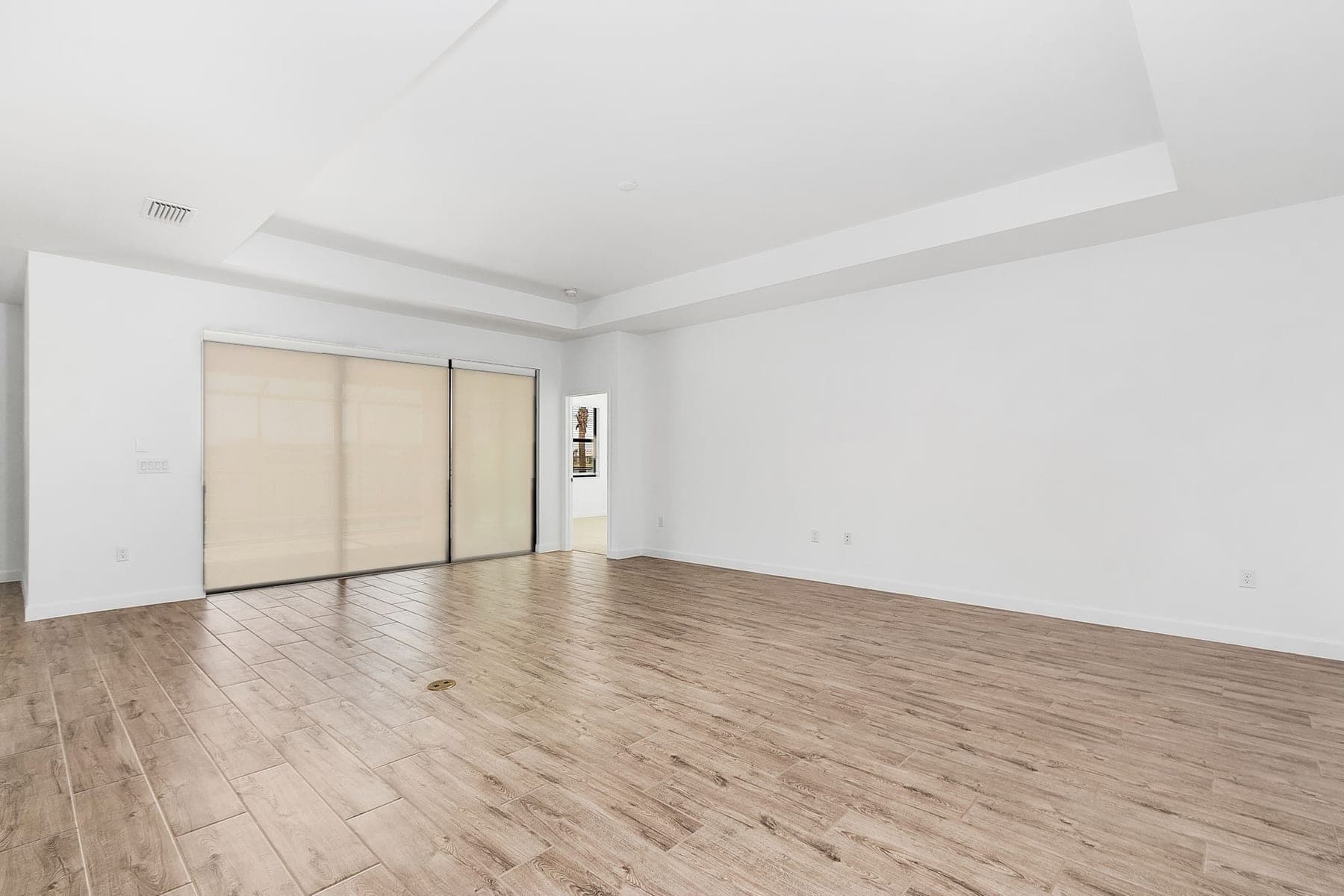
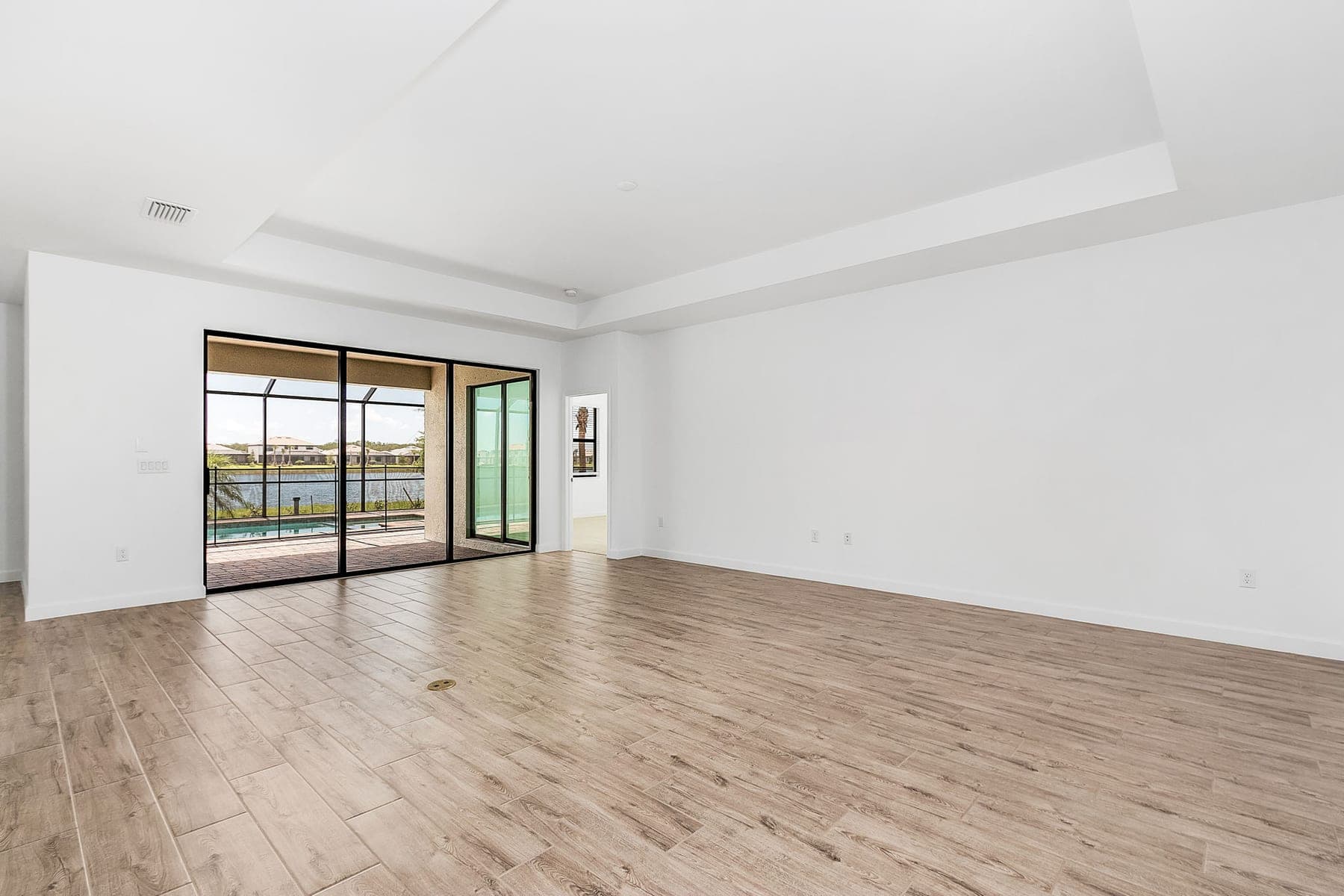
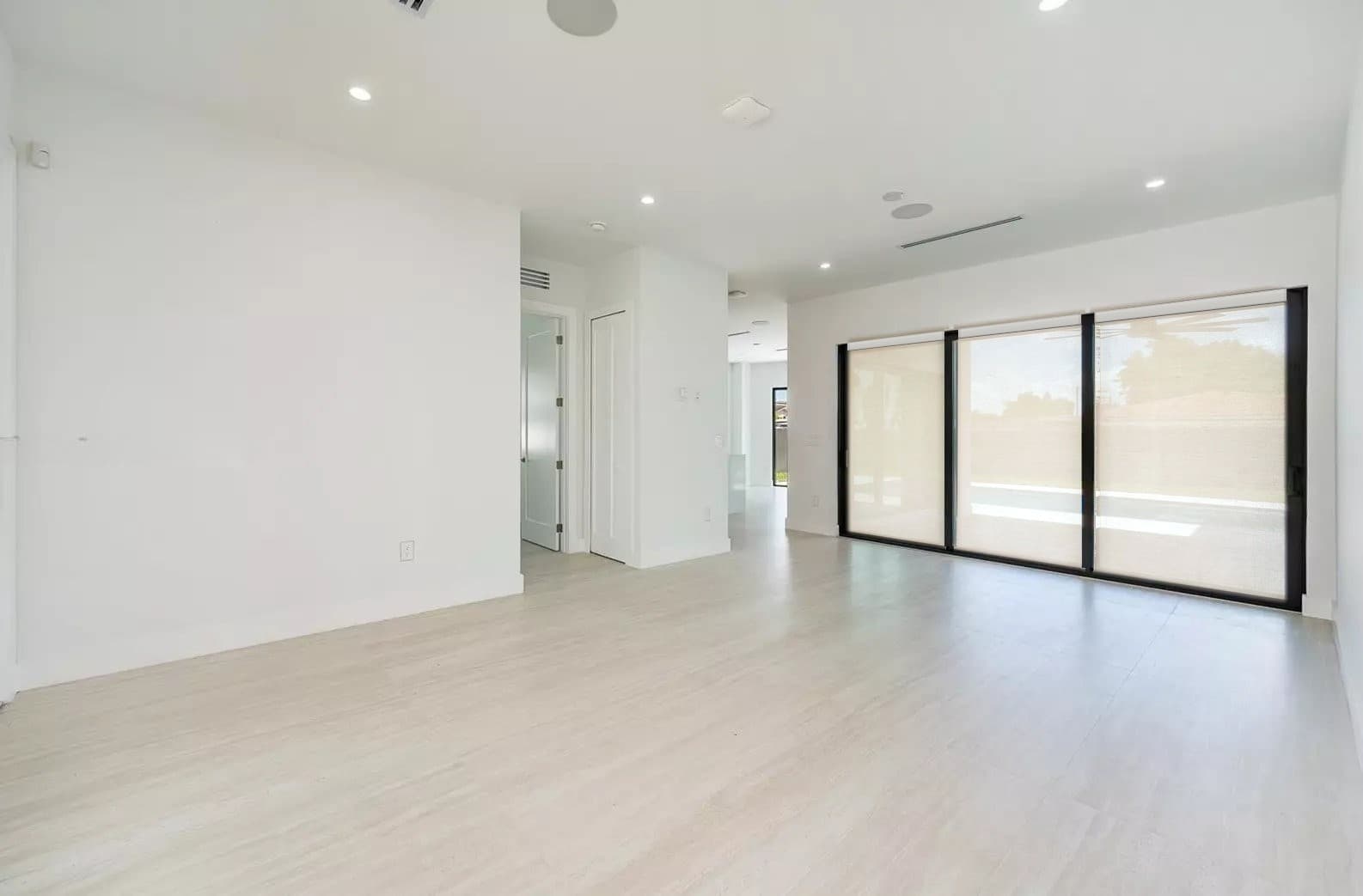
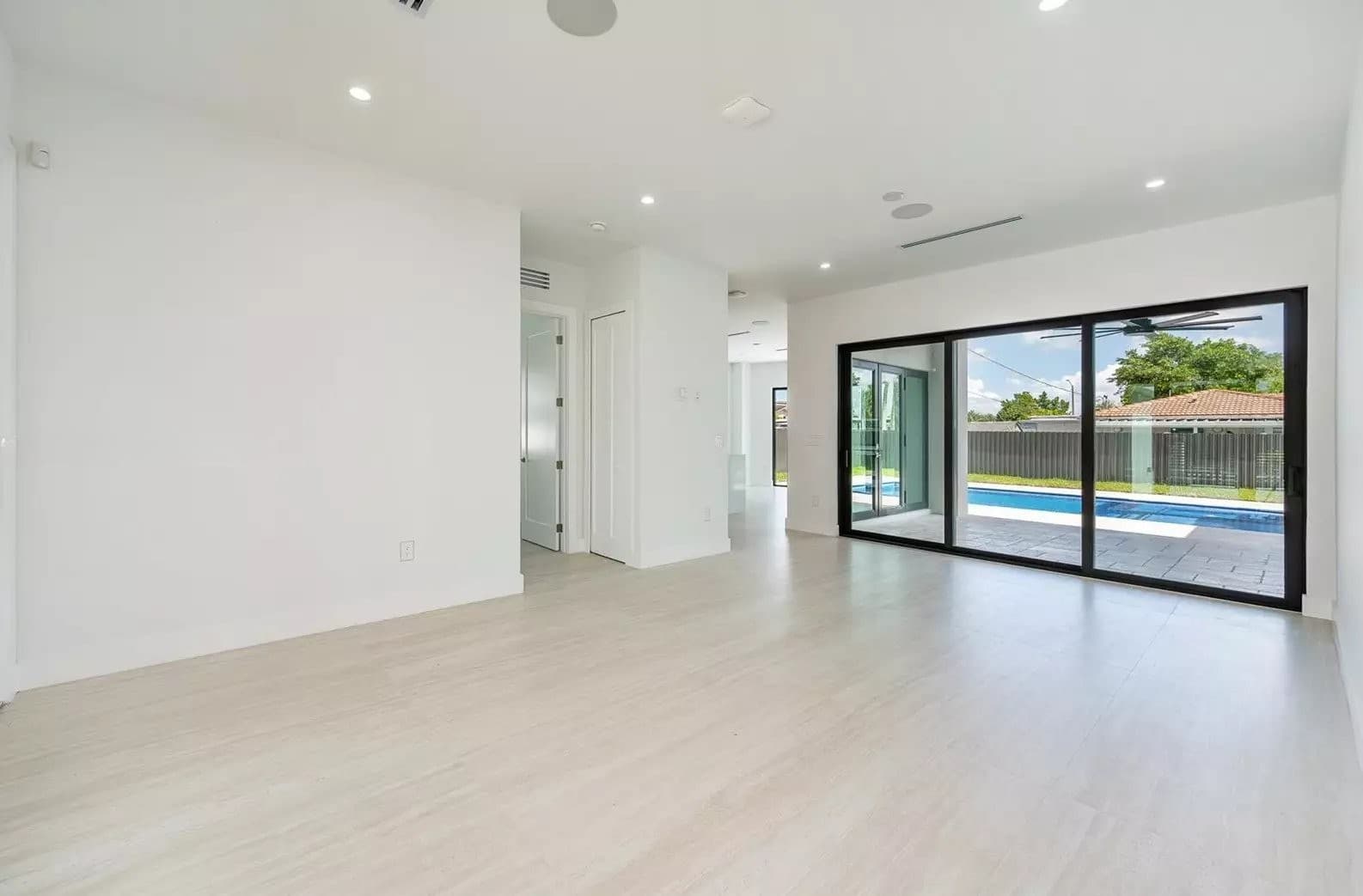
Sliding doors with roller shades, rendered in Yavay Studio
In short
Yavay Studio lets a window-treatment dealer show a customer their own roller shades in a photo of the customer's room. Upload the photo, pick a product from your library and type the measured window sizes. Yavay renders the shades true to size, prices them from your grid with your dealer pricing, and gives you a branded link with the estimate and a quote request form.
Why it works
Their room, not a showroom
The render sits on the customer's own photo, so they see your fabric and the roller box in their window, at the size you typed.
Priced before the visit
Each shade is priced from your grid with your multiplier, installation and add-ons, so the link carries an estimate and not just a picture.
Raised, lowered, half-way
Drag a slider to raise or lower every shade in the render at once. The hems stay level across the row and the roller boxes stay put. Save a short video of the shades rolling up and down to send with the link.
Split where the frame splits
On a sliding door or a bank of windows, each shade ends on the frame's mullion with its own roller box, the way you would install it.
Your brand on the link
The customer page carries your logo, company name, accent colour and phone number. Yavay shows only as a small line in the footer.
Leads land in your inbox
Request a quote sends the customer's name, phone, email and message to your Leads in Studio and to your email.
How it works
- 1Start from the customer's photo
A straight-on phone photo of the window is enough. Yavay finds the windows in it so you can pick which to cover, one shade per panel.
- 2Render your shades true to size
Pick a product from your library and type each window's tape-measured width and height. The shades are drawn to those sizes, with a roller box across the top of each opening, lined up along the wall and lowered all the way to the sill or floor.
- 3Send one branded link
Price it from your grid and share the view.yavay.app link. The customer sees the before and after, the estimate and a Request a quote button that comes straight to you.
What the customer receives
One link on view.yavay.app, under your name, that opens in any browser. No app, no account.
Before and after
Their photo and the render in a slider they can drag, titled with the product's name.
The product
Name, brand, shade type and mount, with a swatch of the fabric colour.
Your estimate
Each window and shade with its size and price, installation and add-ons, tax if you charge it, and a total. A note says the final price is confirmed after an on-site measure.
Request a quote
Name, phone, email, how they prefer to be reached and a message. It goes to your Leads in Studio and to your inbox.
Your branding
Your logo, company name and accent colour, with a Call button that dials your number.
No price grid yet?
The page asks the customer to contact you for pricing instead of showing numbers, so you can share before your grids are in.
Your products, your prices
Only you see your product library. Customers see the resulting prices, never your multiplier.
Import or type them in
Paste a product page's URL to pull in the name, brand, photo and specs, or type them in. Add the fabric colour and the sizes you make.
Price grids from your spreadsheet
Paste a grid with widths across the top and heights down the side. Each shade is priced by the band its size falls in.
Your dealer pricing
A multiplier on the grid (list price, a discount, or cost times your margin), sales tax, and installation per shade with a trip minimum.
Add-ons you name
Motorization, cassettes, side channels or anything else, charged per shade when you pick them on a project.
Built for roller shades
Inside-mount roller shades are what Yavay renders best: one box per shade, sized to the opening and following the wall's perspective, in the colour and hardware you set. Other shade types can go in your library, but roller shades are the place to start.
Wide windows and sliding doors
Type each shade's width on a multi-shade window and the window's total follows. The splits land on the frame's mullions, so a three-panel door renders and prices as three shades.
Who it's for
- Roller-shade dealers and showrooms
- Window-treatment retailers with their own price lists
- Shade installers who quote from a photo
- Interior designers who sell shades
- Mobile consultants doing in-home measures
Frequently asked questions
What photos work best?
A straight-on photo of the window from a phone, taken in daylight with the existing treatments open or removed. One window, a bank of windows or a sliding door with several panels all work. Yavay finds the windows in the photo, and you can drag the outline onto the frame if it misses.
Does it handle inside mount and outside mount?
Sizing and pricing handle both. For an inside mount you type the opening (the smallest of three readings) and Yavay takes the factory deduction off the width. For an outside mount you type the finished size with your overlap. The render is strongest for inside-mount roller shades, flush in the frame, and the customer's page states which mount the product is.
How do I enter the window sizes?
Type them from your tape measure, in inches to the eighth. On a wide window or a sliding door, type each shade's width and the window's total follows. The sizes print on the measurement sheet, and the estimate tells the customer the final price is confirmed after an on-site measure.
What does the customer see of Yavay?
Very little. The link carries your logo, company name, accent colour and phone number, and the page title is yours alone. Yavay appears as a small Powered by Yavay line at the bottom of the page.
Where do quote requests go?
To your Leads in Yavay Studio and to your email, with the customer's name, phone, email, preferred way to be contacted and message.
Can I show the shade raised and lowered?
Yes. In Studio, a slider raises and lowers every shade in the render together, from fully up to down at the sill, with the hems level across the row. Save a short video of the shades rolling up and down and send it alongside the link.
How are sliding doors and wide windows split?
One shade per panel. Yavay puts each split on the frame's mullion and gives every shade its own roller box, so a three-panel slider shows three shades, each priced at the width you typed.
Which plan do I need?
Your product library, price grids and shade controls are part of Studio Max, $148 a month or $111 a month billed annually. Max also includes 2,500 credits a month, 4K renders and everything in Studio Pro. Start with a free account and upgrade when you are ready to add your products.
Put your shades in their windows
Your products, your prices, your brand on the link.
See the Max planStart with a free account. Upgrade to Studio Max when you add your products.