AI HomeDesign comparison
Yavay vs AI HomeDesign (2026)
Both are AI staging tools for agents. AI HomeDesign leans into renovation edits; Yavay covers the whole listing.
Try Yavay freePrices checked October 2026. 25 free credits, no card.
In short
AI HomeDesign sells monthly photo plans: Pro is $35 for 30 photos ($19 billed yearly), up to Enterprise at $99 for 200 ($49 yearly), with a large set of renovation tools and an API for brokerages. Yavay Studio stages a photo for about $0.24–$0.39 and adds sketch-to-render, floor-plan 360° walkthroughs and listing video. Both start free. Pick AI HomeDesign for its renovation toolset; Yavay for one tool across staging, tours and video.
AI HomeDesign vs Yavay at a glance
| Feature | AI HomeDesign | Yavay Studio |
|---|---|---|
| What it is | Self-serve AI staging and listing-edit tool | Self-serve AI studio for listing visuals |
| Pricing | Pro $35/mo (30 photos), Pro Plus $59 (80), Enterprise $99 (200); $19–$49 billed yearly | Free to start (25 credits). Packs from $29; Pro $48/mo for 1,000 credits; Max $148/mo |
| Cost per staged photo | $0.24–$1.17 depending on plan | $0.18–$0.24 on Pro (yearly or monthly), $0.39 with the $59 pack (5 credits a photo) |
| Turnaround | Seconds (its pages say both under 7 and about 30) | About a minute per photo |
| Free trial | Free credits on sign-up, watermarked, no card | 25 credits (about 5 staged photos), no card |
| Best for | Agents who want many renovation edits | Agents who want staging plus renovation, exterior, tours and video in one place |
What staging 8 listing photos costs
Virtual staging only, one render per photo, at each company's published prices.
AI HomeDesign
$9.33
8 of 30 photos on the $35/mo Pro plan
Yavay Studio
$3.15
40 credits from the $59 pack, or about $1.92 of a Pro month
Which one to pick
Choose AI HomeDesign if
- You want its specific renovation tools (walls, floors, ceilings, backsplash, construction completion)
- Your brokerage or MLS wants a B2B or API arrangement
- You prefer a monthly photo allowance
Choose Yavay if
- You want a lower cost per photo on entry plans: about $0.24–$0.39 vs $1.17
- You turn sketches into renders
- You want floor-plan 360° walkthroughs and listing video for the same listing
- You want a done-for-you option: White Glove stages a whole property for $200
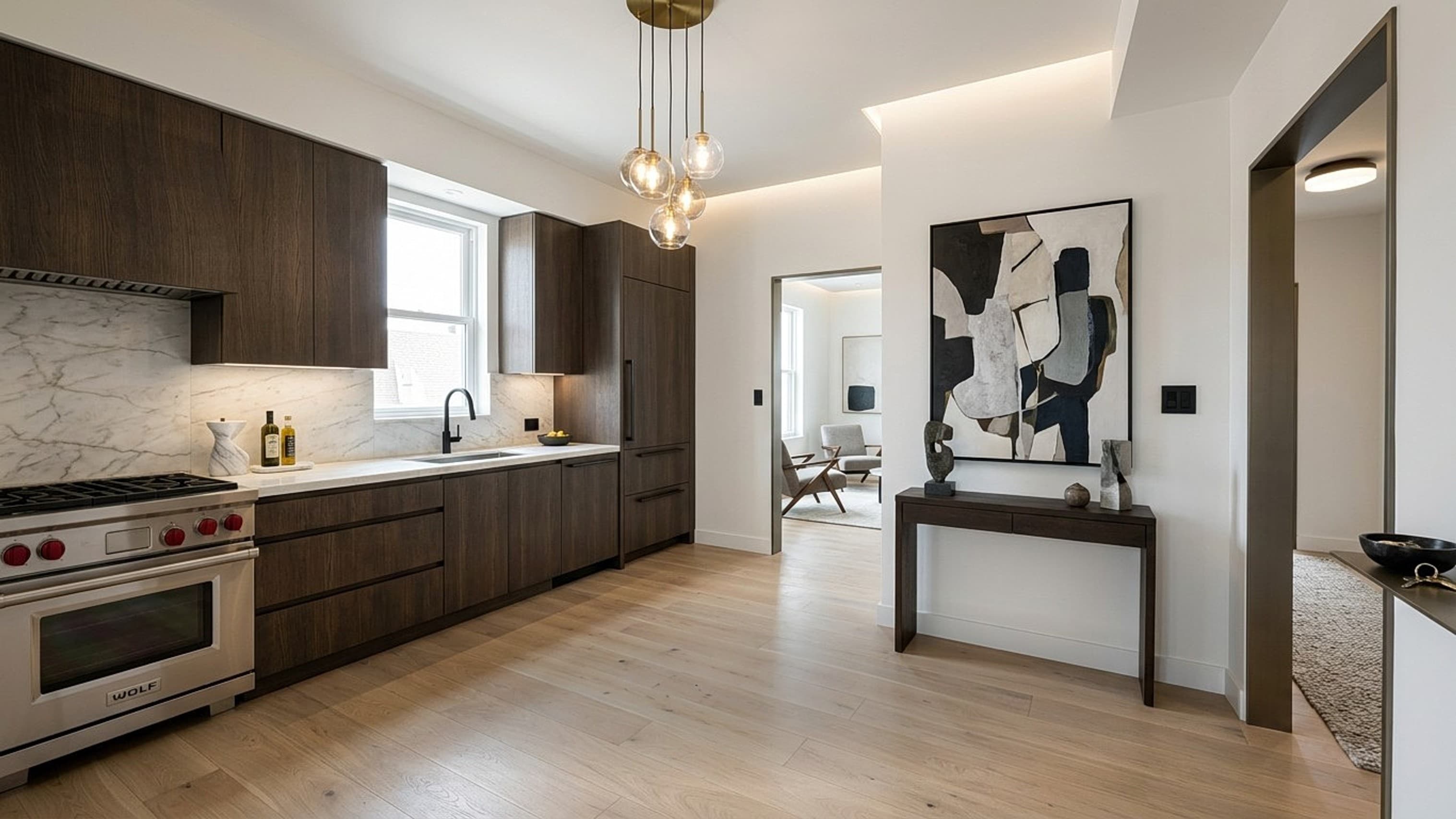
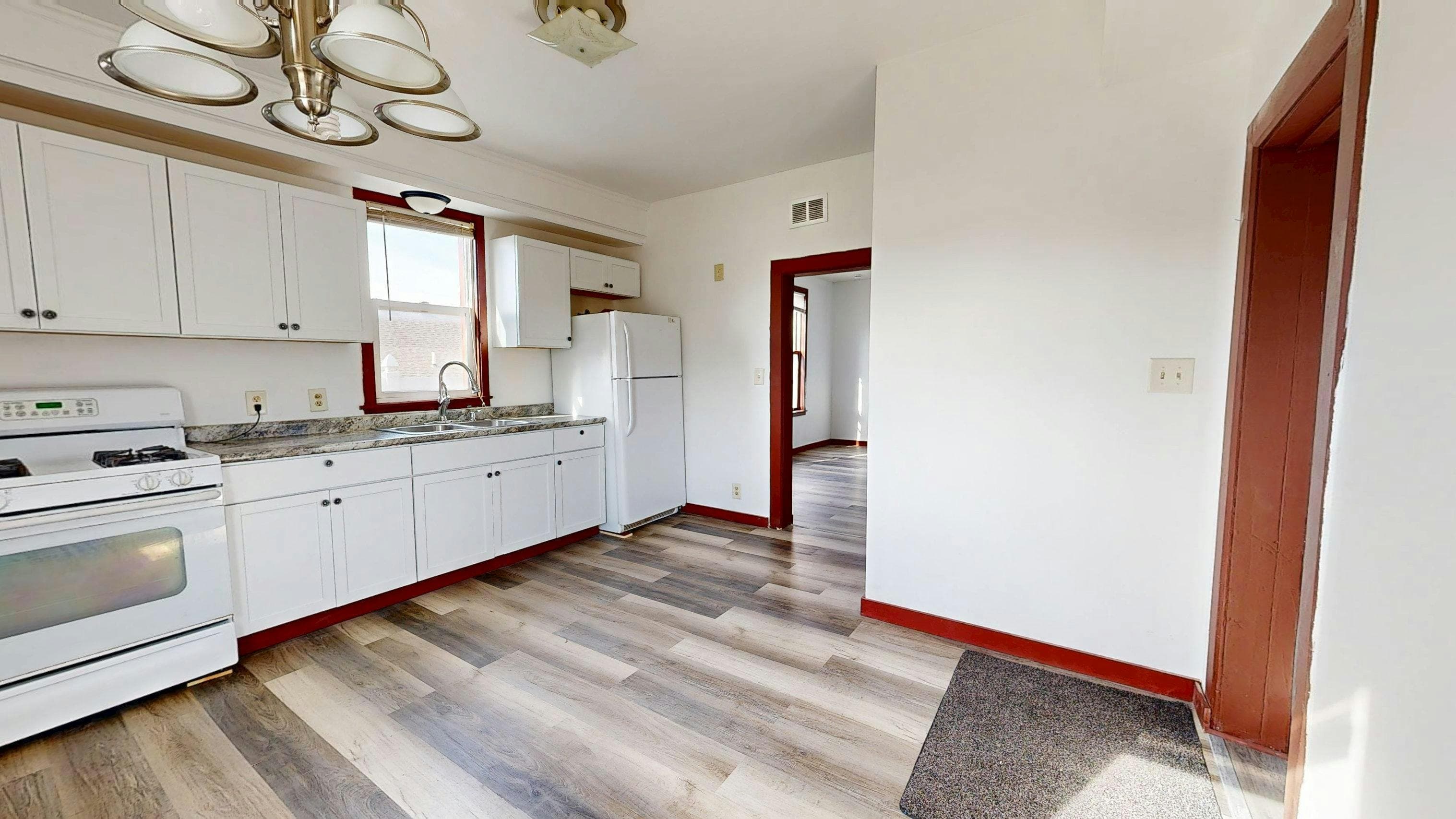
A real Yavay render
Made in Yavay Studio from the photo on the left. Drag to compare.
Feature by feature
| Feature | AI HomeDesign | Yavay Studio |
|---|---|---|
| Instant AI staging | ||
| Human-edited staging | Not listed | White Glove: $200 per property, up to 50 photos, 48 hours |
| Declutter / furniture removal | Yes (item removal) | White Glove only |
| Renovation previews | ||
| Exterior and landscaping | Yes (day to dusk) | |
| Sketch to render | Not listed | |
| 3D or 360° tours | Not listed | Floor-plan 360° walkthroughs |
| Video from photos | Not listed | |
| Floor plans | Not listed | Import and 3D view |
Frequently asked questions
How much does AI HomeDesign cost?
AI HomeDesign lists Pro at $35 a month for 30 photos, Pro Plus at $59 for 80 and Enterprise at $99 for 200, or $19–$49 a month billed yearly.
Is Yavay cheaper than AI HomeDesign?
On entry plans, yes: a Yavay staged photo is about $0.24 on Pro or $0.39 with a pack, against $1.17 on AI HomeDesign's monthly Pro plan. At its Enterprise yearly tier the two are similar.
Which has more renovation tools?
AI HomeDesign lists more single-purpose renovation edits. Yavay covers renovation, exterior and landscaping previews, plus sketch-to-render, tours and video.
Can I try both free?
AI HomeDesign gives free, watermarked credits on sign-up. Yavay gives 25 free credits, about 5 staged photos, with no card.
Sources: aihomedesign.com/pricing, aihomedesign.com, trustpilot.com/review/aihomedesign.com, checked October 2026. Yavay prices from our pricing page.
More comparisons: BoxBrownie · Virtual Staging AI · Apply Design · Collov AI · REimagineHome · Styldod · Interior AI · Spacely AI · Homestyler · PhotoUp · Pedra · Best virtual staging software
Judge it on your own listing photo
25 free credits, about 5 staged photos. No credit card.
Try Yavay free